
Commerce 테마
이전 문서: Commerce 테마 게시일: 2024-3-24 마지막 편집: 2024-9-12 원래 분류: ⭐ 테마 매개변수
테마 미리보기
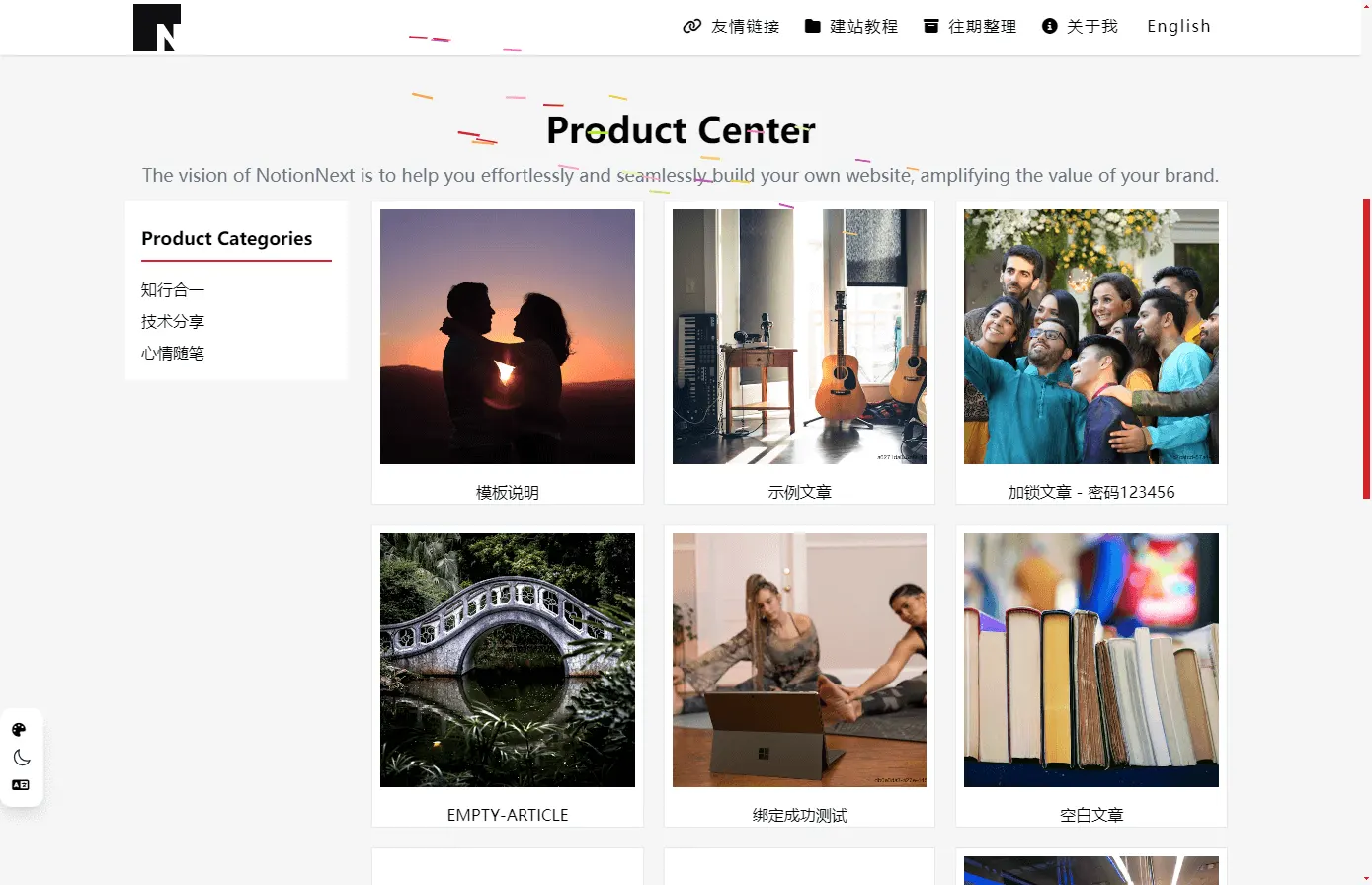
간단한 기업 제품 공식 사이트를 만들 수 있는 테마입니다. 온라인 미리보기는 아래 사이트를 참고하세요. 아래 사이트는 이 테마의 후원사입니다.
활성화 방법
코드를 4.4.2 이상으로 업데이트한 뒤 테마를 commerce로 설정하면 됩니다.
Commerce 테마
이 테마에는 아직 별도의 특수 기능은 없습니다. 이후 여러 장의 커버 이미지를 슬라이드로 보여주는 기능이 추가될 예정입니다.
제품 센터
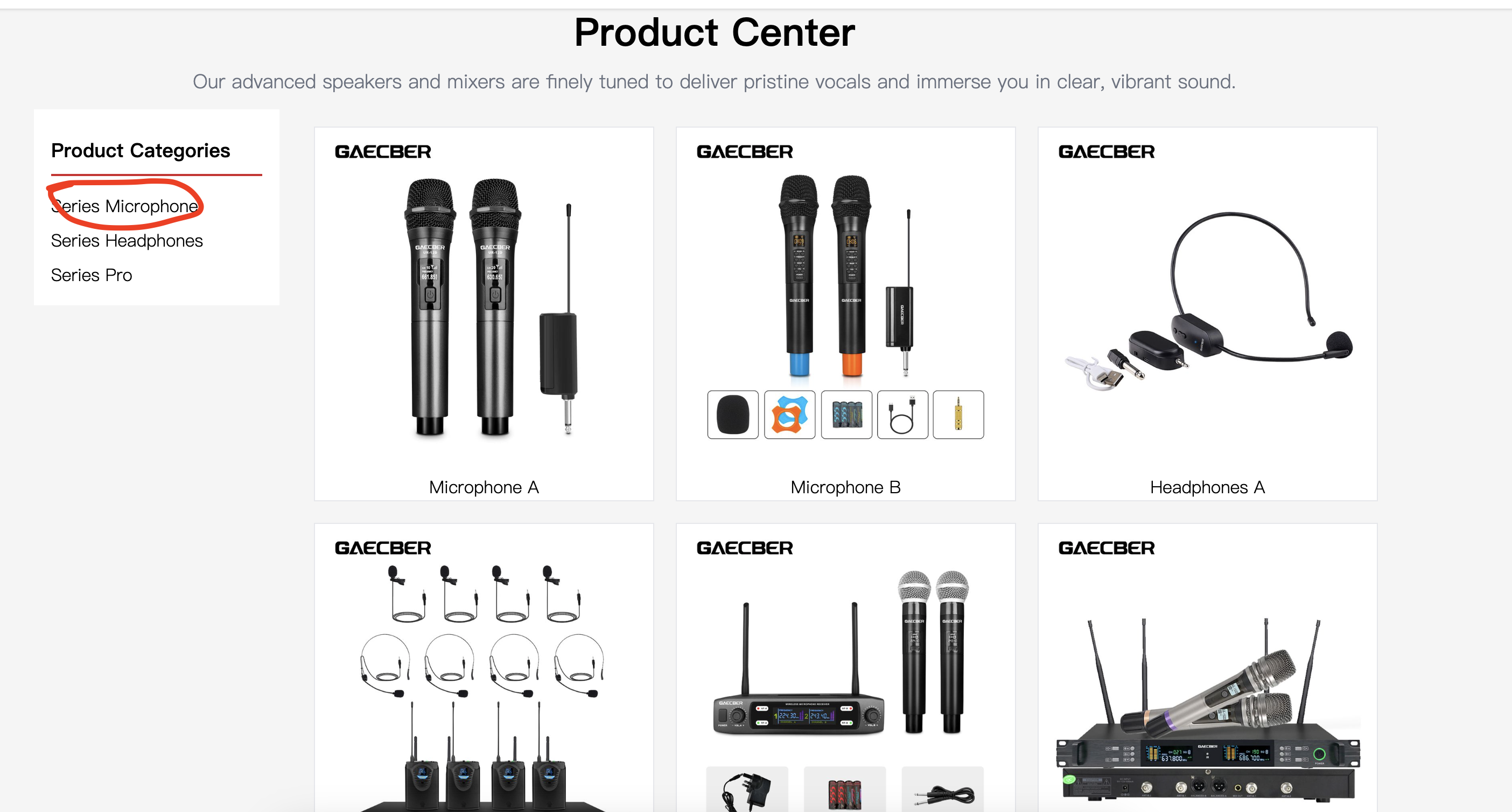
대표 컴포넌트입니다. 홈페이지에서 category 분류에 따라 클릭해 전환할 수 있는 탭 컴포넌트로 글을 보여줍니다. 왼쪽에는 현재 분류가 표시되고, 오른쪽에는 해당 분류 아래의 모든 게시물이 표시됩니다.
설정 참고
/themes/commerce/config.js에서 이 테마가 지원하는 설정을 확인할 수 있습니다.
CSS
const CONFIG = {
  // Enable the large cover banner
  COMMERCE_HOME_BANNER_ENABLE: true,

  COMMERCE_TEXT_CENTER_TITLE: 'Product Center', // Center product section title
  COMMERCE_TEXT_CENTER_DESCRIPTION:
    'The vision of NotionNext is to help you effortlessly and seamlessly build your own website, amplifying the value of your brand.', // Center product section description
  COMMERCE_TEXT_CENTER_CATEGORY_TITLE: 'Product Categories', // Left product category title
  COMMERCE_TEXT_FOOTER_TITLE: 'Contact US', // Commerce theme footer title; press Shift+Enter to add a line break
  COMMERCE_TEXT_FOOTER_MENU_1: 'Product Center', // Commerce theme footer left menu title 1
  COMMERCE_TEXT_FOOTER_MENU_2: 'About US', // Commerce theme footer left menu title 2
  COMMERCE_HOME_POSTS_COUNT: 9, // Number of products shown on the home page
  COMMERCE_CONTACT_WHATSAPP_SHOW: true, // Whether to show the WhatsApp contact button. Configure CONTACT_WHATSAPP
  COMMERCE_CONTACT_TELEGRAM_SHOW: true // Whether to show the Telegram button in the contact area. Configure CONTACT_TELEGRAM
}
export default CONFIG
문서는 계속 보완 중입니다. 문제가 있으면 댓글로 알려 주세요.